
The best pet camera without a subscription (2026)
Most pet cameras are free to watch and expensive to remember. Here's what you really get without a monthly plan, what it costs over two years, and the cheapest way to skip the fee entirely.

Michal Wlosik
· 4 min read
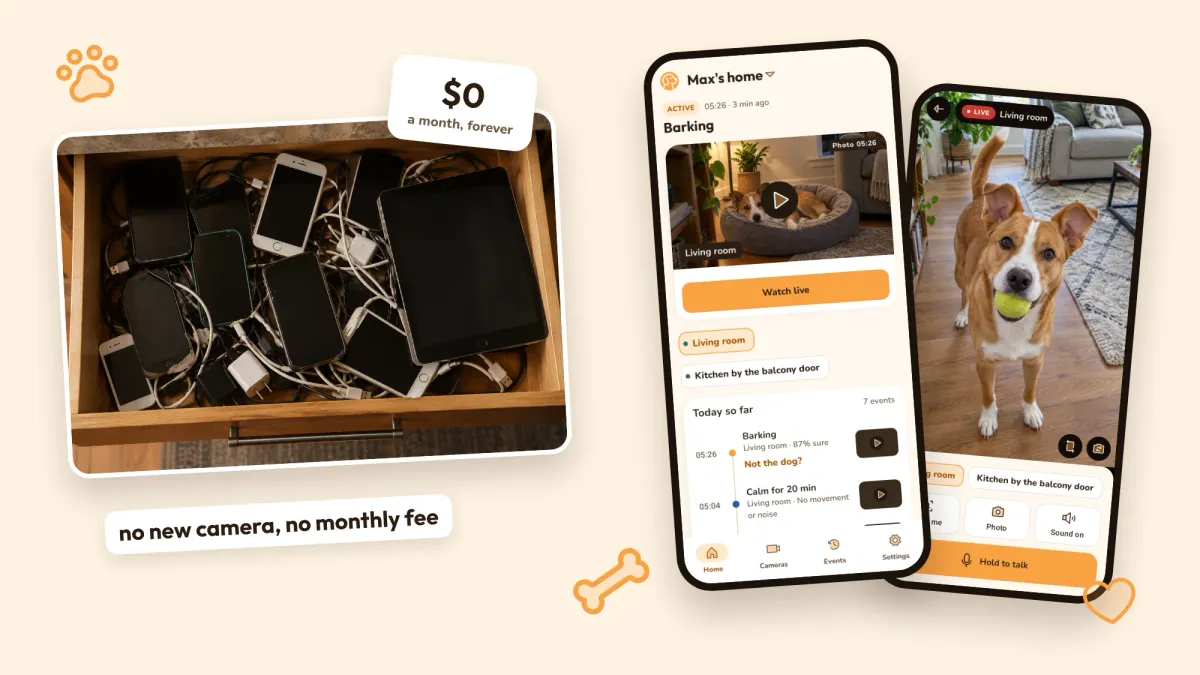
Pet cameras have a quiet business model: sell the camera, then charge every month for the useful part. The live view is almost always free. The clips of what happened while you were out, and the alerts that tell you which noise was your dog, usually aren't.
If you want a pet camera without a subscription, it helps to know exactly what the free tier covers, what the plans really cost over a couple of years, and where the genuinely free options are. That's what this guide covers.
What "no subscription" really means
Across Furbo, Petcube, Wyze, eufy and others, the split is surprisingly consistent:
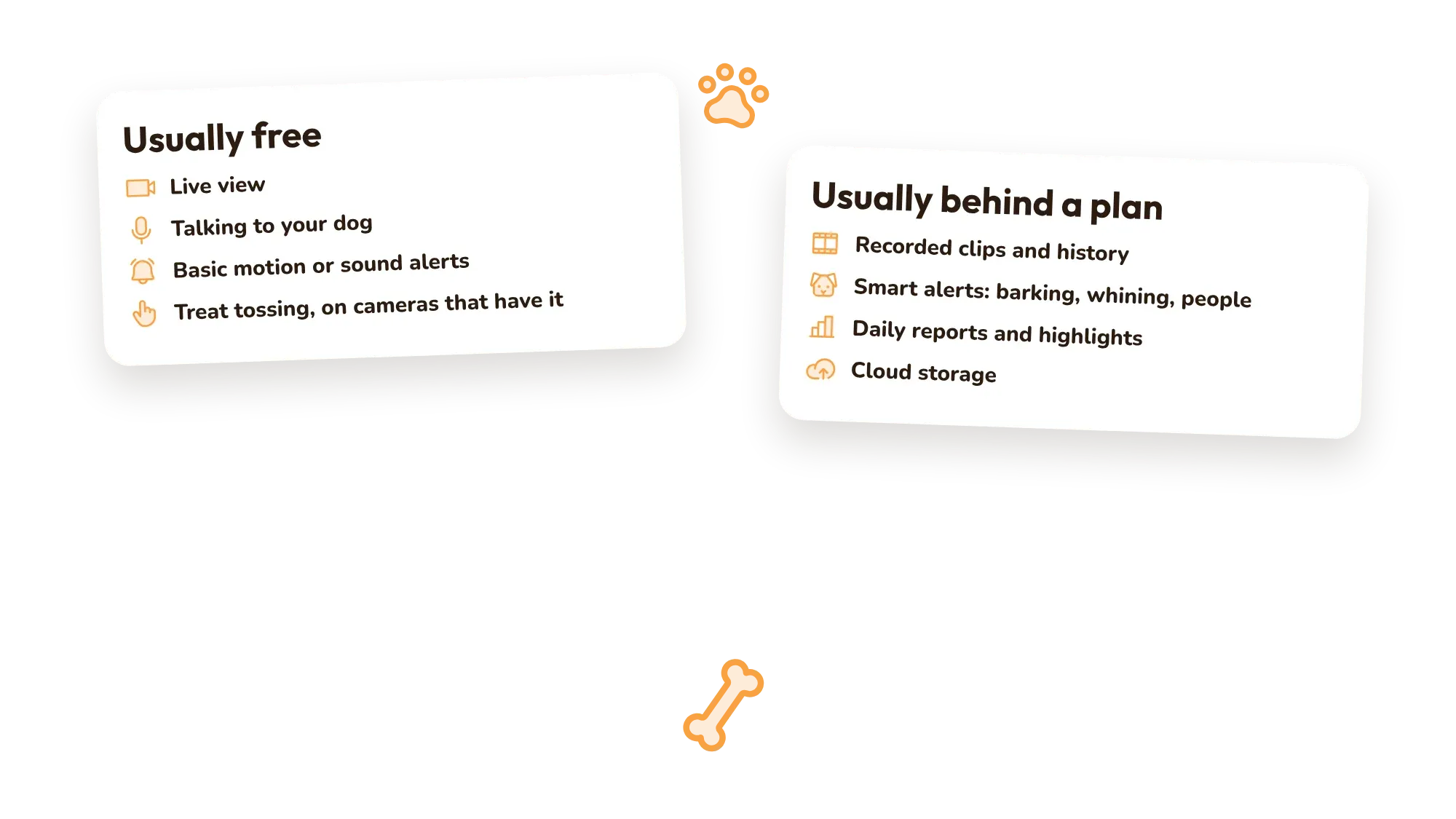
- Usually free: live video, talking through the camera, basic motion or sound alerts, and treat tossing on cameras that have it.
- Usually paid: recorded clips and video history, "smart" alerts that recognise barking, crying or people, daily highlight reels, and cloud storage.
The catch is that the paid half is what most people buy a pet camera for. When you're at work you rarely watch live for long; you want to know what happened while you weren't looking.
The main options
1. Furbo: free basics, the good stuff in Furbo Nanny
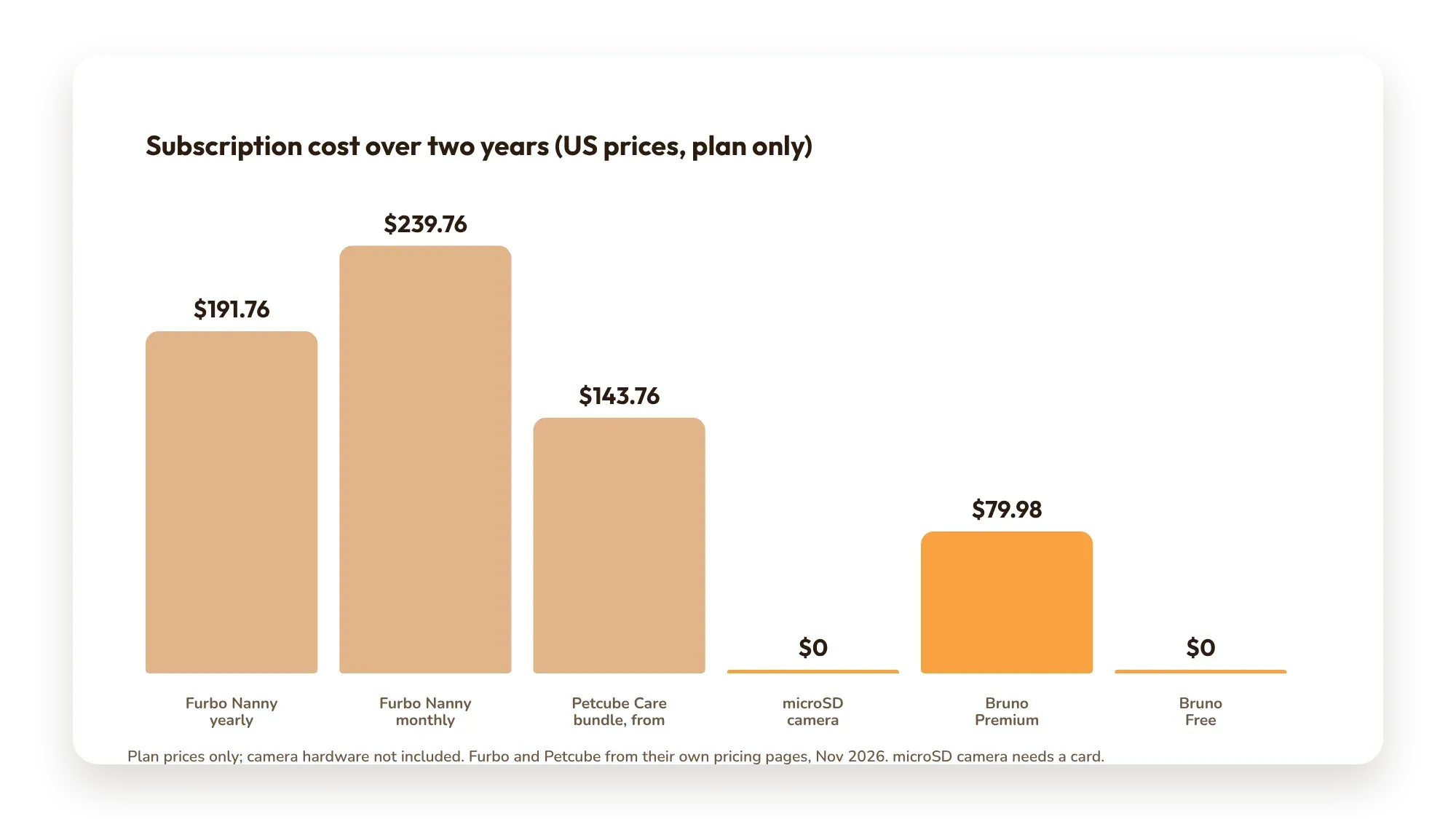
Furbo says its Nanny plan is optional and that live view, treat tossing and barking alerts work without it. The plan adds smart alerts for barking, activity, people and home emergencies plus video history. On Furbo's own plan and pricing page, that's $9.99 a month or $95.88 a year.
One thing to check before you buy: Furbo now sells some cameras cheaper on the condition that you subscribe, so read the box. A "subscription required" model won't do much without a plan.
2. Petcube: free live view, history with Petcube Care
Petcube's cameras stream live for free, while Petcube Care adds cloud video history and pet and person alerts, with bundles starting at $5.99 a month. Reviewers have pointed out that without a plan, the Petcube Cam 360 doesn't record clips at all, so you can watch live but can't look back.
3. Security cameras with a microSD card
Indoor cameras from brands like eufy, Wyze and TP-Link Tapo can record to a memory card inside the camera, which is how they avoid monthly fees. They're cheap and private, but they're security cameras first: motion alerts are generic, and you'll need to buy a card and occasionally clear it. Note that remote viewing and alerts still need an internet connection.
4. An old phone running Bruno: free, with no new hardware
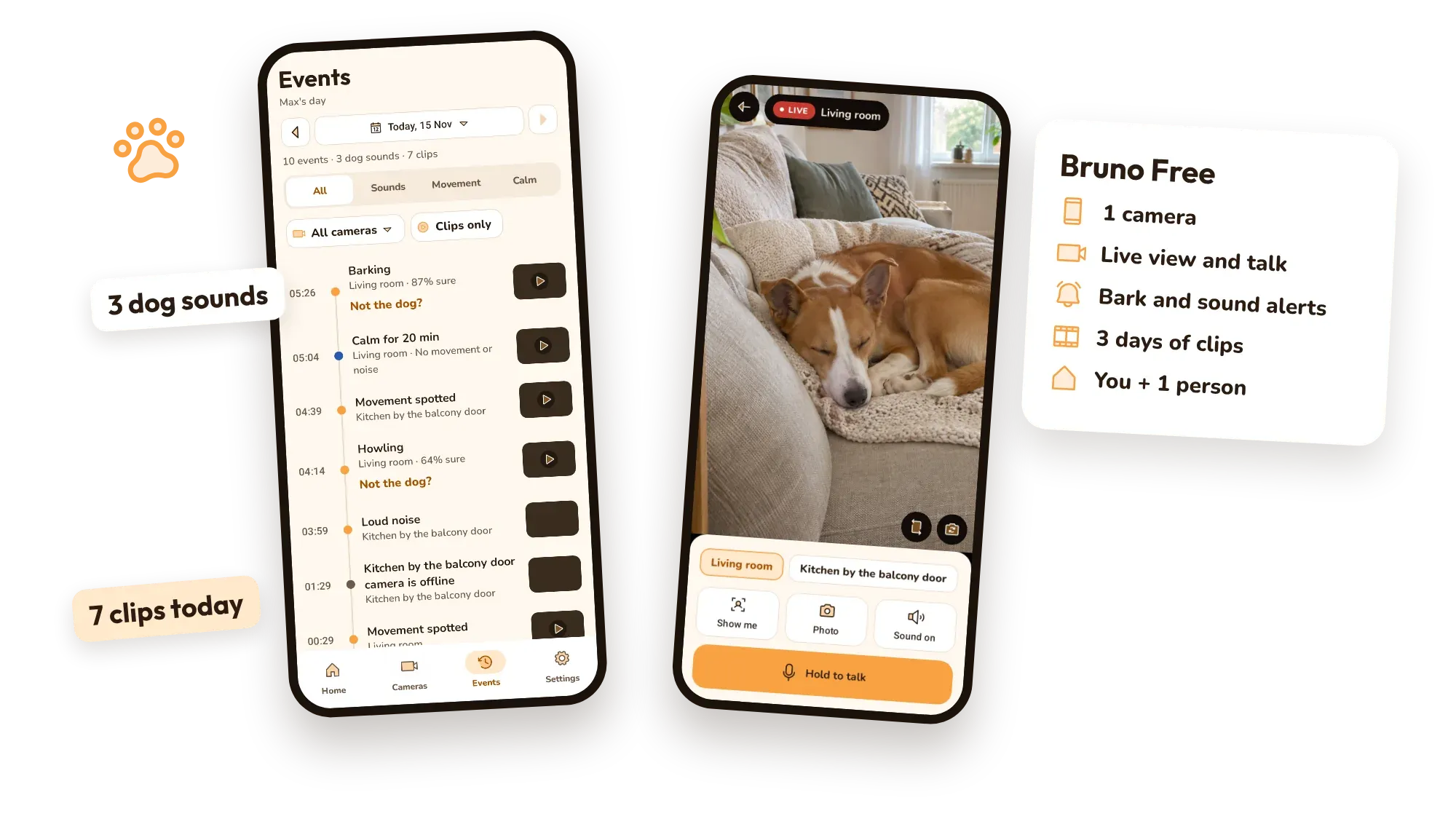
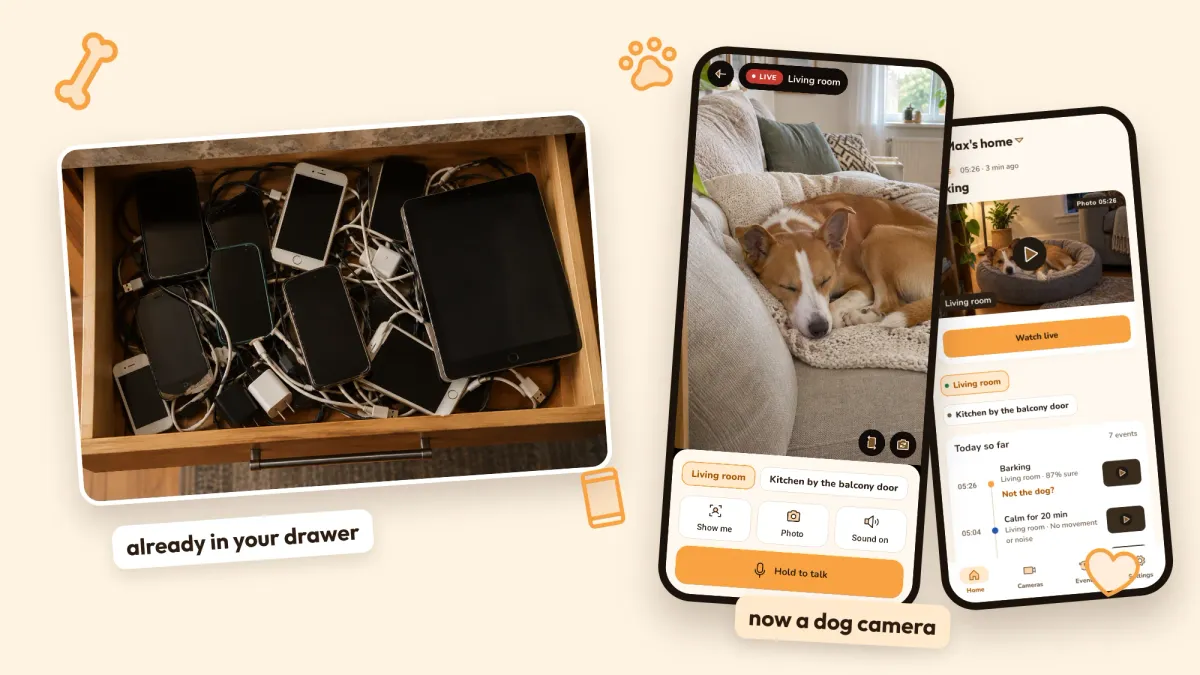
The cheapest camera is the one you already own. Bruno turns an old Android phone or tablet into a dog camera, and its free plan includes the parts other brands charge for:
- Live view, talking, and Show me (your face on the camera's screen)
- Bark and sound alerts that tell barking, whining and howling from the TV or a doorbell
- 3 days of clips, each starting 5 seconds before the sound
- One camera, shared with one other person
Bruno Premium ($39.99 a year or $5.99 a month) adds unlimited cameras, 30 days of clips and unlimited family members. It's optional, and nothing in the free plan expires.

Skip the monthly fee.
Bruno Free turns a phone you already own into a dog camera with bark alerts and 3 days of clips.
What it costs over two years
Here's the subscription bill alone over 24 months, using each company's US list prices. Camera hardware is extra for everything except the phone you already own.
Which one should you pick?
- You want to toss treats: Furbo or Petcube, and decide later whether the plan is worth it.
- You want continuous recording and full privacy: a microSD security camera.
- You want bark alerts and clips without paying, or you'd rather not buy anything: put an old phone to work with Bruno. Here's how to set it up in ten minutes.
Questions people ask
Do pet cameras work without Wi‑Fi?
Is a phone camera good enough?
What about night vision?
Try Bruno free.
No new hardware, no card needed. Just an old Android phone.
Written by
Indie app builder and pet lover based in Wrocław, Poland. I make Bruno so you can check on your dog with a phone you already own. Co-author of The AdTech Book.
Keep reading
How to turn an old phone into a dog camera (step by step)
That old Android phone in your drawer can watch your dog while you're out: live video, bark alerts and clips. Here's how to set it up in about ten minutes.
Questions or thoughts? Share them below.