
How to turn an old phone into a dog camera (step by step)
That old Android phone in your drawer can watch your dog while you're out: live video, bark alerts and clips. Here's how to set it up in about ten minutes.

Michal Wlosik
· 5 min read
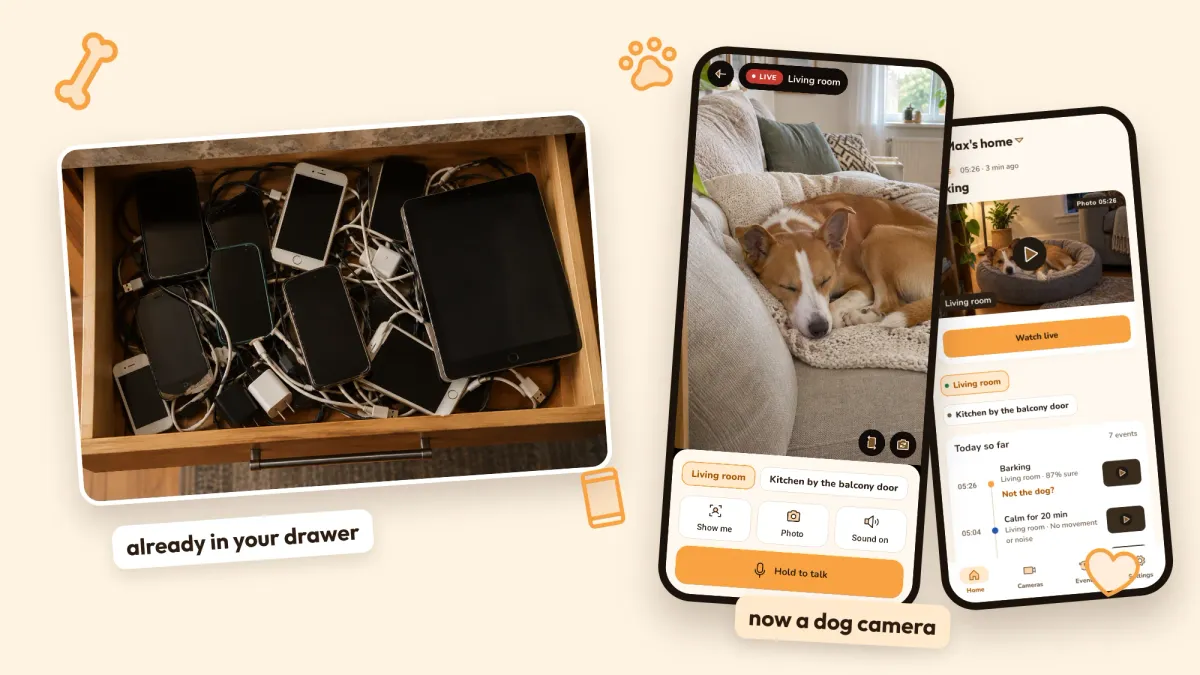
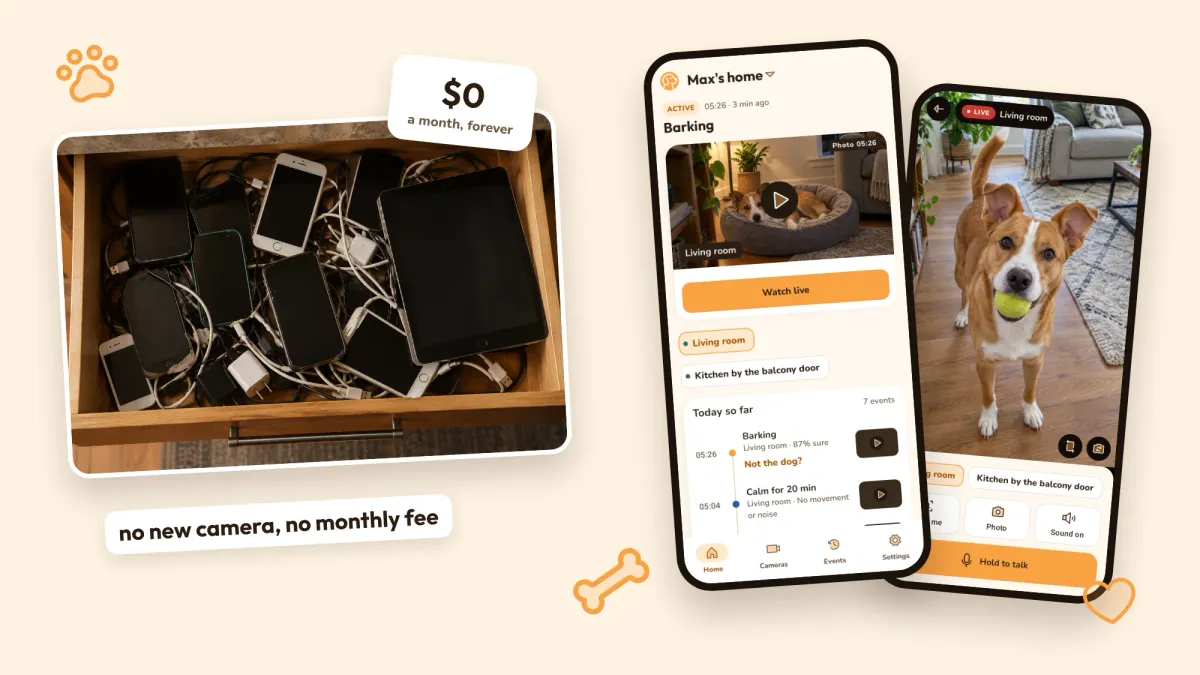
Most of us have one: an old phone in a drawer, still working, battery a bit tired, worth almost nothing on resale. It has a camera, a microphone, a speaker and Wi‑Fi. That's everything a dog camera needs.
In this guide you'll turn it into a home camera for your dog in about ten minutes, using Bruno, a free Android app built for exactly this. You'll be able to watch live from your own phone, talk to your dog, and get an alert when they bark, whine or howl while you're out.
What you need
- An old Android phone or tablet running Android 8 or newer. Cracked screens and weak batteries are fine, because it will live on the charger.
- A charger and a cable long enough to reach the spot where you'll put it.
- Something to hold it: a cheap phone stand, a shelf, a book end, or a small tripod.
- Home Wi‑Fi. The camera streams over your Wi‑Fi; you can watch from anywhere, including on mobile data.
- Your everyday phone to watch from. If it's an iPhone, you can watch in any browser at app.brunocam.com.
Step 1: Get the old phone ready
Charge it, connect it to your home Wi‑Fi and install any pending system updates. If you're giving it a fresh start, a factory reset is a good idea: it clears old accounts and frees up storage. Then remove any thick case, because phones that run all day stay cooler without one.
Step 2: Install Bruno and choose "Use this phone as the camera"
Install Bruno from Google Play on the old phone and open it. The first screen asks what this device should do. Pick Use this phone as the camera. Bruno asks for camera and microphone access; allow both, since that's how it sees and hears your dog.
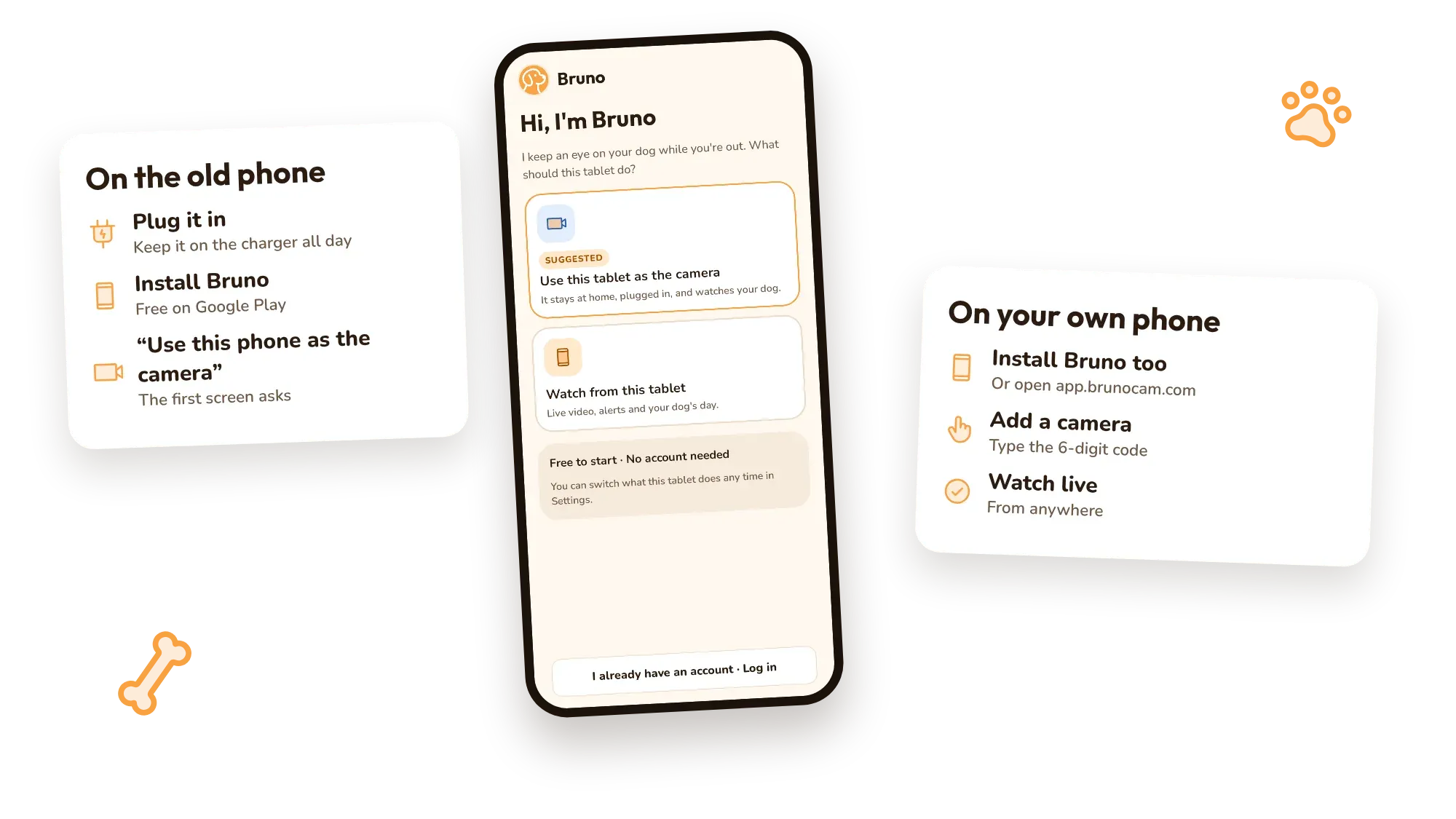

Get Bruno for the old phone.
It's free on Google Play and works on Android 8 and newer.
Step 3: Pair it with your own phone
The old phone now shows a six-digit code. On your everyday phone, install Bruno too (or open the web app), tap Add a camera and type the code. That's the whole pairing process: no accounts to share, no QR codes, no router settings.
Want someone else to watch too, like a partner or the dog walker? Invite them from Settings and they'll see the same camera, timeline and alerts.
Step 4: Put it in the right spot
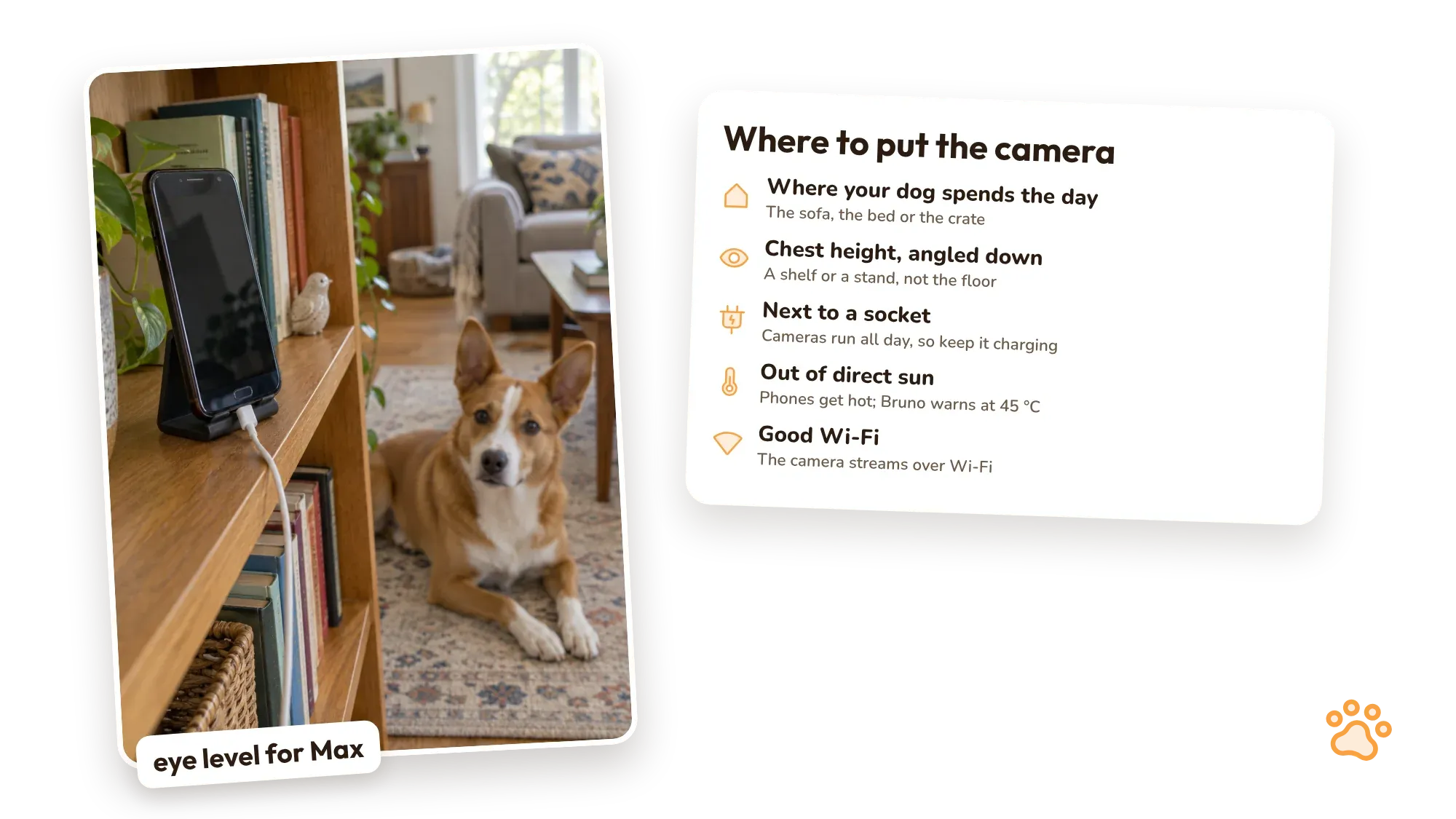
Placement matters more than the phone's camera quality. A few rules that make a big difference:
- Point it at where your dog actually spends the day: the sofa, their bed or the crate. Not at the front door, unless that's where they wait.
- Chest height, angled slightly down. A shelf or a stand works better than the floor, where a curious nose will knock it over.
- Next to a socket. The camera runs all day, so it stays plugged in.
- Out of direct sun and away from radiators. Phones get warm when they stream for hours; Bruno warns you if the camera passes 45 °C.
- Where the Wi‑Fi is good. If the live view stutters, move it closer to the router.
Step 5: Two settings worth changing
Let Bruno run in the background. Some phones (especially Samsung, Xiaomi and OnePlus) stop apps that run with the screen off to save battery. If the camera screen shows "Keep Bruno running with the screen off", tap it and set Bruno's battery use to Unrestricted.
Tune the sensitivity. In the Cameras tab, each camera has its own movement and sound sensitivity. Start on Normal. If you get alerts for shadows moving across the floor, lower movement sensitivity; if a quiet whine goes unnoticed, raise sound sensitivity. You can also turn on Night light, which lights the room softly when it gets dark.
Step 6: Watch, talk, and get alerts
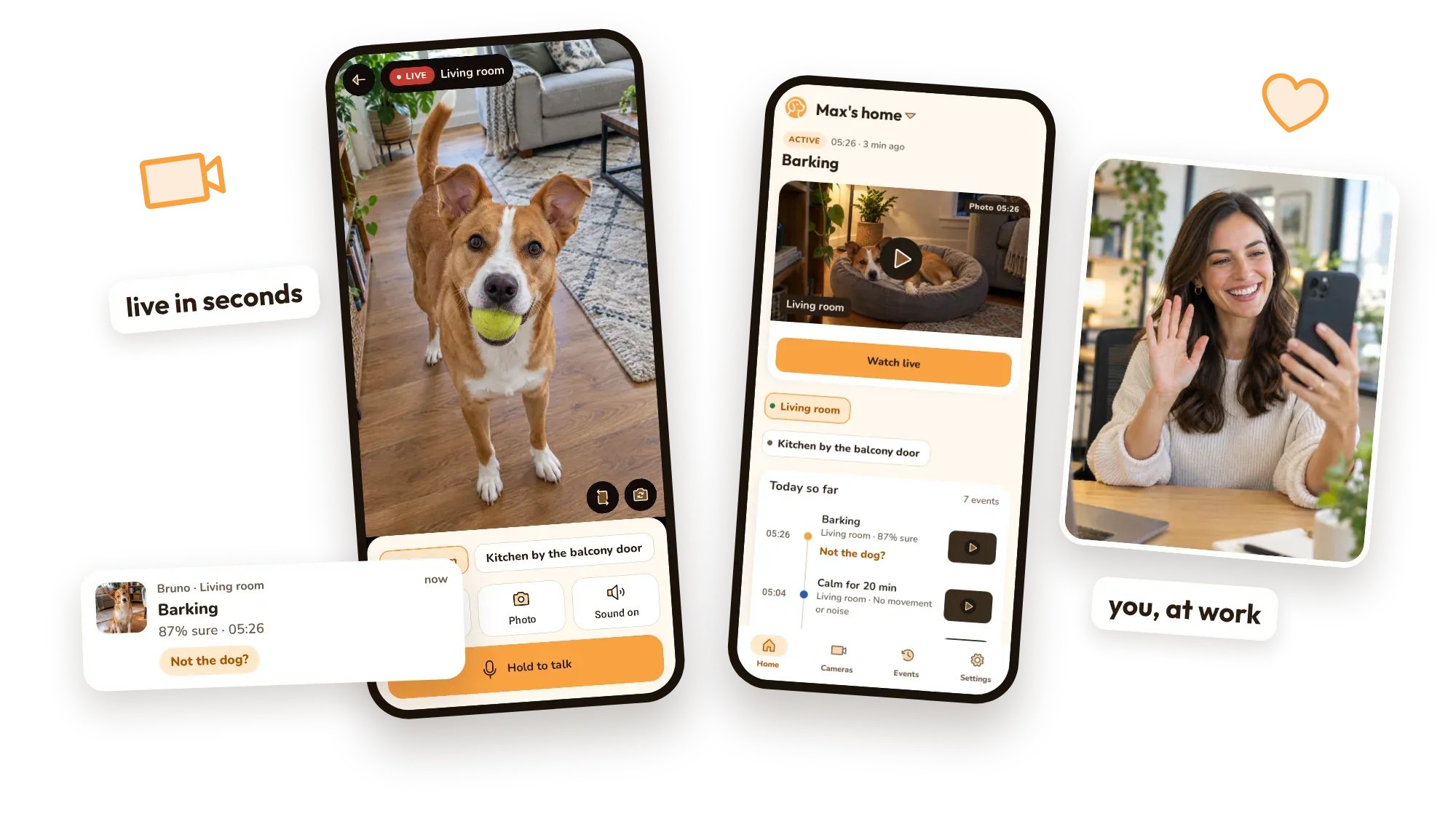
That's it. Tap Watch live on your phone to see your dog in a few seconds, from anywhere. Hold the talk button and your voice comes out of the old phone's speaker. Tap Show me and your face appears on its screen, like a video call.
When your dog barks, whines or howls, you get a notification with a photo and a short clip that starts five seconds before the sound, so you can see what set them off. Bruno also tells a bark from the TV, a doorbell or people talking, and learns from you: tap Not the dog? on a wrong alert and it gets better.
Common questions
Will it ruin the old phone's battery?
Does it work when I'm not on Wi‑Fi?
Can I use more than one old phone?
What about an old tablet?
Next steps
Once the camera's running, spend a few days just watching the timeline. You'll learn more about your dog's day than any guess: when they settle, what makes them bark, and how long it takes them to relax after you leave. If barking turns out to be the problem, read Does my dog bark when I leave? next.
Ready to try it?
Bruno is free on Google Play. Set up your dog camera in ten minutes.
Written by
Indie app builder and pet lover based in Wrocław, Poland. I make Bruno so you can check on your dog with a phone you already own. Co-author of The AdTech Book.
Keep reading
The best pet camera without a subscription (2026)
Most pet cameras are free to watch and expensive to remember. Here's what you really get without a monthly plan, what it costs over two years, and the cheapest way to skip the fee entirely.
Questions or thoughts? Share them below.